Picurio
An AI-powered web application that turns a photo into a ready-to-share Polish social media post. It combines image recognition with automated caption generation.
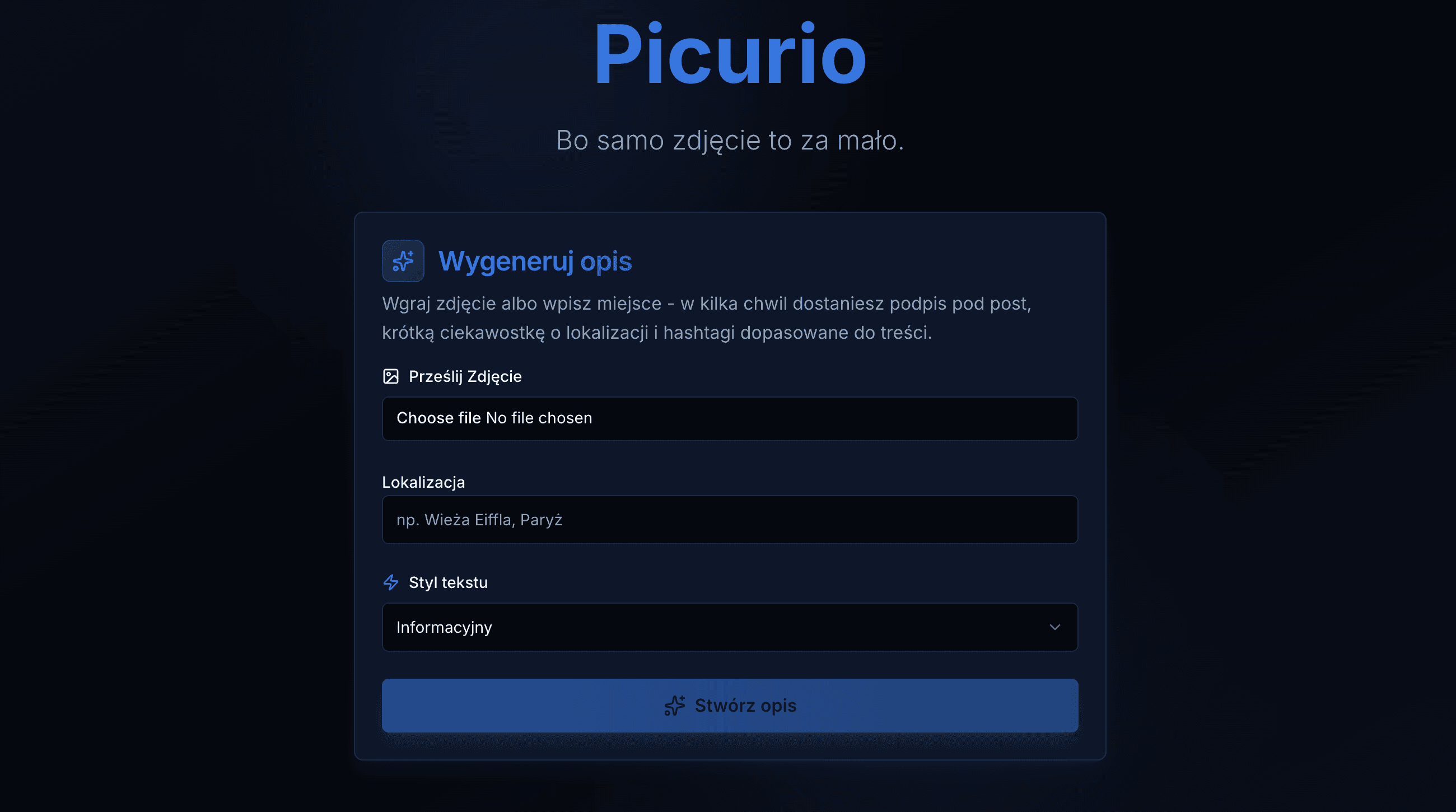
AI-powered social media content assistant
Picurio is a Polish-language web application that transforms a photo or location into engaging, ready-to-share social media content. It brings image recognition, location context and generative AI together in one simple, mobile-first workflow.
💡 The Story Behind Picurio
The idea grew out of my own travel habits. I often came home with plenty of photos to share, but wanted my posts to offer something more than an image — a surprising fact, a short story or a useful piece of context. Researching and writing these captions manually soon became a repetitive process, even with the help of LLMs.
That repetition sparked a simple idea: this workflow could be automated. Picurio became both a practical tool for my own use and an opportunity to move beyond observing the AI revolution and start building with it.
🎯 Project Goals
The goal was to create a focused MVP that turns a travel photo into a useful starting point for a social media post. One AI model identifies the place with optional GPS support, while another generates an informative caption and relevant hashtags. The result saves research time while remaining easy to refine before publishing.
🛠️ Tech Stack
- Frontend: Next.js 16, React 19, TypeScript, Tailwind CSS and shadcn/ui
- Backend: Next.js Route Handlers
- AI integrations: OpenAI API for content generation and Google Gemini for image recognition
- Image processing: Client-side EXIF/GPS extraction and HEIC/HEIF conversion
- Deployment: Vercel with a cost-free public demo mode
🌟 Key Features & Technical Highlights
1. Multimodal content generation
The full application uses Gemini to recognize a location from an uploaded image and OpenAI to generate context-aware Polish content. The result combines image description and hashtags in a single response.
2. Location-aware image processing
Picurio can use GPS data embedded in a photo to improve the available context. HEIC and HEIF images are converted directly in the browser, making uploads from modern mobile devices easier to handle.
3. Safe public demo architecture
I created a dedicated demo mode for the publicly available portfolio deployment. It reproduces the complete product flow with curated local responses while preventing external AI calls, keeping uploaded images in the browser and eliminating API costs or exposed credentials.
4. Responsive, focused user experience
The interface is designed around a short mobile-first flow: upload a photo or enter a location, select a tone, generate the result and copy individual pieces of content with one click.
💡 Challenges & Solutions
- Public AI demo without uncontrolled costs: The server explicitly disables provider clients in demo mode and returns deterministic local examples, so public API routes cannot consume external quotas.
- Useful results from imperfect input: Combining visual recognition with optional GPS metadata gives the generation step richer context than either source alone.
- Mobile photo compatibility: Client-side HEIC/HEIF conversion and metadata extraction make the experience work with common smartphone photo formats.